


CarNVH
A Dedicated vibration and noise analysis application designed for both technicians and enthusiasts. Identify the source of vehicle noise and vibration in real-time—without expensive equipment. Is it an unbalanced wheel? A dying driveshaft? A failing dual-mass flywheel? Or valve clearances wide enough to see through? Discover all this and more using your phone’s built-in sensors and CarNVH App.
► App description
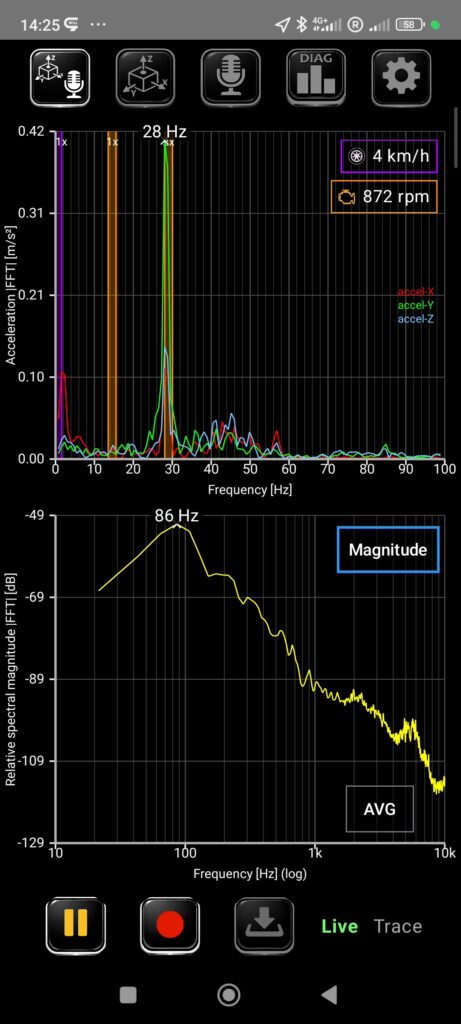
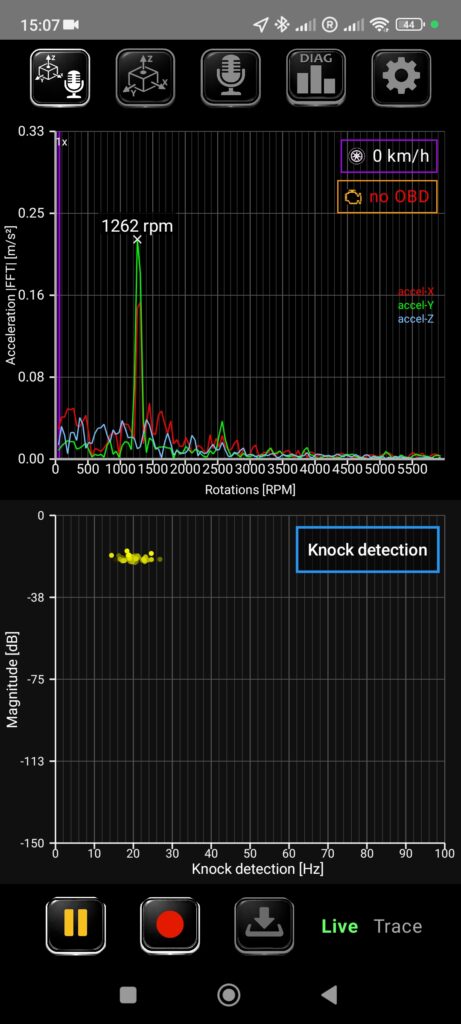
The main dashboard is dedicated to FFT (Fast Fourier Transform) analysis of noise and vibration, allowing for simultaneous or individual data visualization from the accelerometer and microphone.
- Split View: The default layout for a comprehensive overview.
- Custom Views: Switch anytime to “Vibration Only” or “Noise Only” modes.
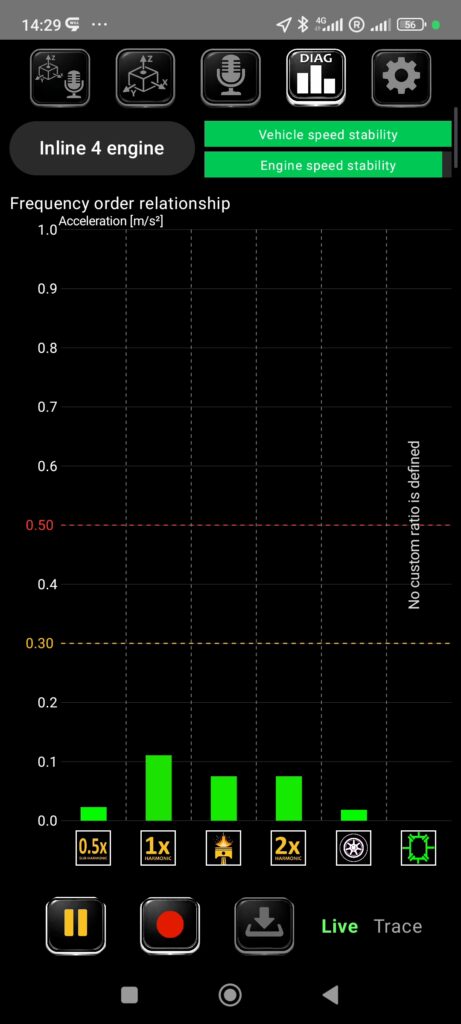
- DIAG Window (Pro): Quickly evaluate peak vibration amplitudes at specific orders of engine or wheel frequencies.
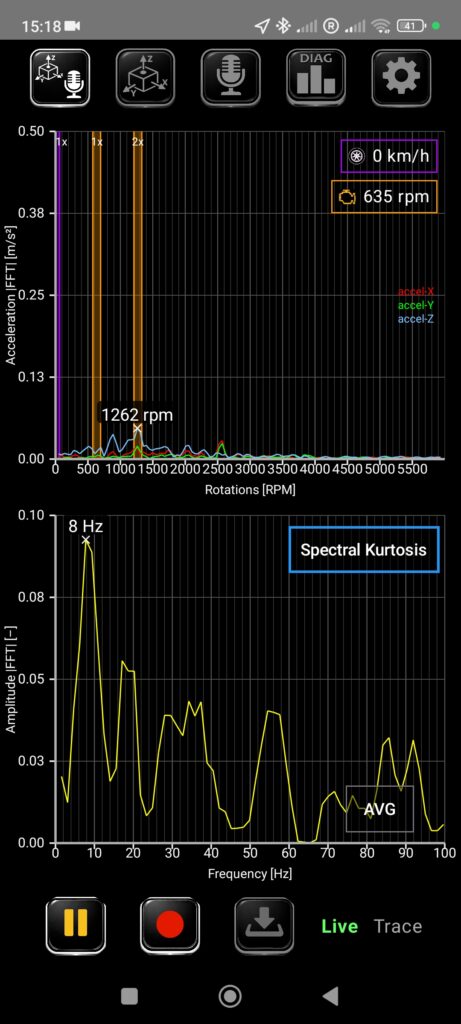
The X-axis can toggle between linear and logarithmic scales (Pro version supports direct RPM display) with zoom capabilities. The Y-axis features an auto-range default with manual overrides. For selected graphs, the Z-axis is also fully configurable.
Measurements can be paused, recorded, saved, and reloaded for offline analysis.
Wheel Vibrations:
The Free version uses GPS signals to highlight a specific “window” where 1st-order wheel vibrations (imbalance) occur—simply enter the dynamic tire radius. In settings, you can enable additional windows for other harmonic orders, such as those caused by flat tyre spots or tripod joint issues.
Drivetrain Vibrations:
The Pro version adds the ability to connect via Bluetooth or Wi-Fi to an ELM327 adapter (the common OBD2 dongle). This allows the app to read engine RPM and precisely pinpoint harmonic vibration frequencies. You can also set “custom” gear ratios to diagnose suspected issues with the driveshaft, differential, but also alternator or A/C compressor.
Vibro-Analysis (DIAG):
Unlock the DIAG window in the Pro version to see a clear breakdown of vibration amplitudes by order. To ensure accuracy, you can select your specific engine configuration, as an inline-four behaves differently than a V6.
Noise analysis:
For acoustic diagnostics, the app offers 6 specialized graphical modes:
Spectral Level: Quickly identify the loudest frequencies.
Envelope Spectrum: Ideal for revealing periodic impacts hidden within broadband noise.
Knock Detection: Detects periodic pulses in time, displayed as frequency of occurrence (Note: This is for mechanical knocking/tapping, not combustion detonation).
Spectrogram: Tracks spectral changes over time, or relative to RPM/speed.
Spectral Kurtosis – helps identify where short-duration transients (shocks/impacts) are hidden within the spectrum, even when they are buried under heavy noise.
Lissajous Curve: Visualizes the phase relationship between the accelerometer and microphone.
► How it works
FFT analysis displays dominant vibration frequencies. On its own, a frequency is just a number; the magic happens when you map it to a source. In a combustion vehicle, the two primary sources are the wheels and the engine. However, anything in between—axles, driveshafts, transmissions—can transmit or amplify these vibrations. Vibrations don’t always appear as 1st-order harmonics (equal to RPM). They can manifest as half-orders (valvetrain), 2nd-order (cylinder expansion), 3rd-order (tripod joints), and so on. CarNVH accounts for your specific cylinder count and configuration to make sense of the data.
FAQ
►Free x Pro version
The Pro version unlocks:
– Connection to OBD2 (ELM327) via Bluetooth or Wi-fi
– Advanced Diagnostics in DIAG window for frequency orders
– Total 6 graphs for noise analysis
– Unlimited recording
– Custom ratios and RPM display on the X-axis.
►Required permissons
- Location: Used for GPS speed data to calculate wheel rotation frequencies.
- Audio Recording: Necessary for microphone signal processing and recording.
- Nearby Devices: Required for pairing with ELM327 OBD2 dongles.